In development · Free · Open source planned
Forge VFX
Motion graphics and compositing, on your own GPU.
A multi-layer timeline, node-based effects and 3D layers, plus nine generative tools that run on your own machine: video, images, audio, 3D models, depth, upscaling, frame interpolation, camera motion and camera tracking. Written from the ground up in C++ on its own Vulkan and OpenGL renderer.
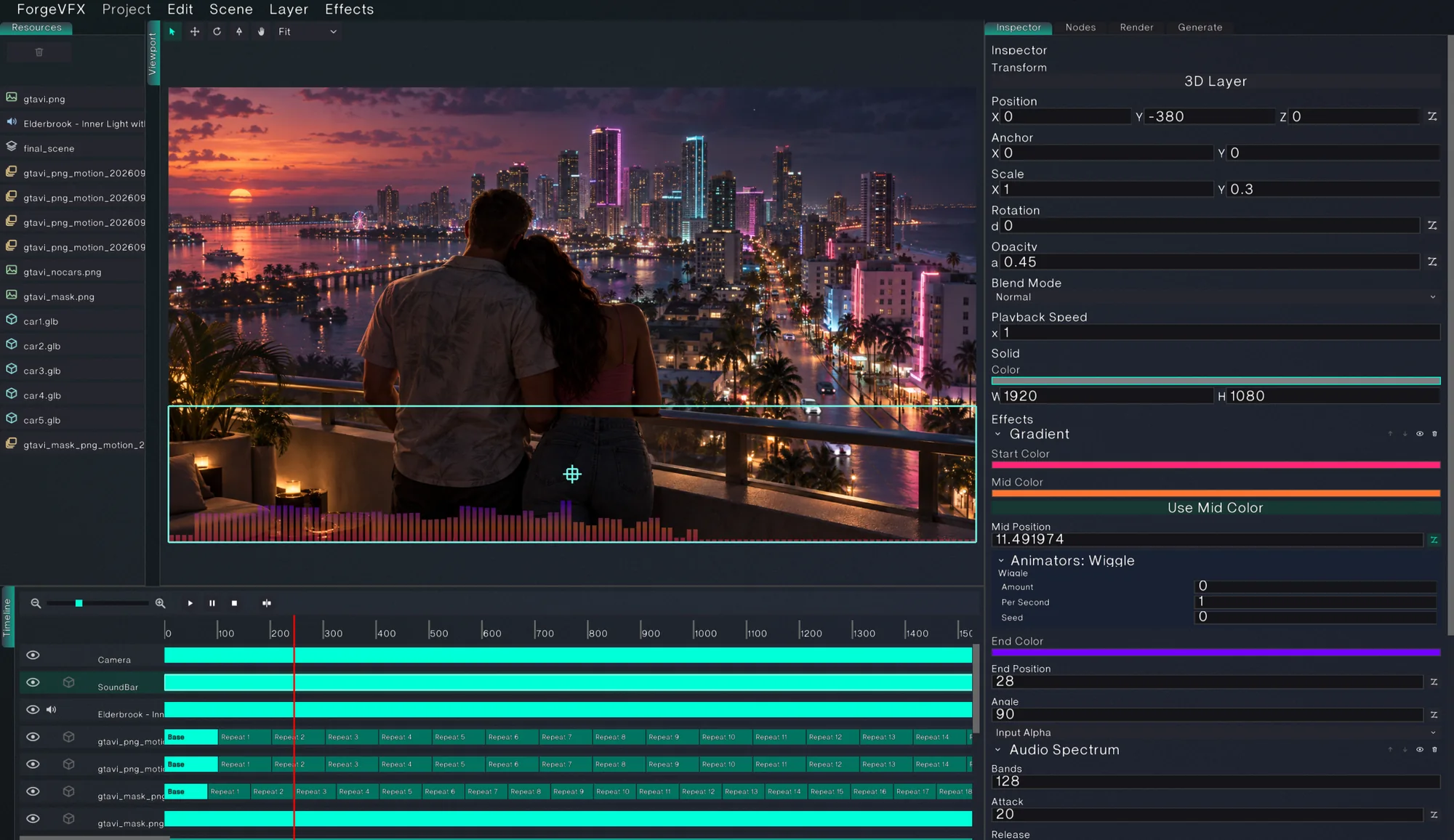
No uploads, no credits, no render farm. Forge VFX composites, animates and generates every frame on the machine in front of you, even a laptop.
01 · Generate
One still, one prompt.
Ten seconds of video, on a laptop.
Pick a still, describe the motion, and Forge generates the clip, upscales it and smooths it, then drops it on a new layer ready to composite. This is the real run, replayed: an RTX 4070 Laptop GPU with 8 GB VRAM.
 Source still640 × 480, image to video
- Model
- HunyuanVideo 1.5 · 480p distilled
- Frames
- 241
- Steps
- 12
- fps
- 24
Prompt (abridged)
Ready.
Replayed at presentation speed. The real run took about 50 minutes to generate, 19 to upscale and 2 to interpolate, on an RTX 4070 Laptop GPU with 8 GB VRAM and 32 GB of system RAM.
HunyuanVideo 1.5
One 640 × 480 still in, 241 frames out at 720 × 544: ten seconds at 24 fps, in a single run of the 480p step-distilled model at 12 steps.
About 50 minutesSeedVR2 3B
A video upscaler that restores frames in batches, so the detail it adds holds steady from frame to frame. Twice the size, to 1440 × 1088.
About 19 minutesRIFE 4.26
Estimates the motion between frames and builds the in-betweens: 24 to 48 fps, played at 30 as sixteen seconds of slow motion.
About 2 minutesDetail that holds still.
Drag across the frame. On the left, the generator’s own 720 × 544 frame; on the right, the same frame after SeedVR2. Because it reads several frames at once, the restored skin, hair and fabric stay put instead of shimmering as the clip plays.
 Generated
 SeedVR2 2×
Frame 60 of 241, cropped and shown at the same size.
02 · Depth
Every shot has a third dimension.
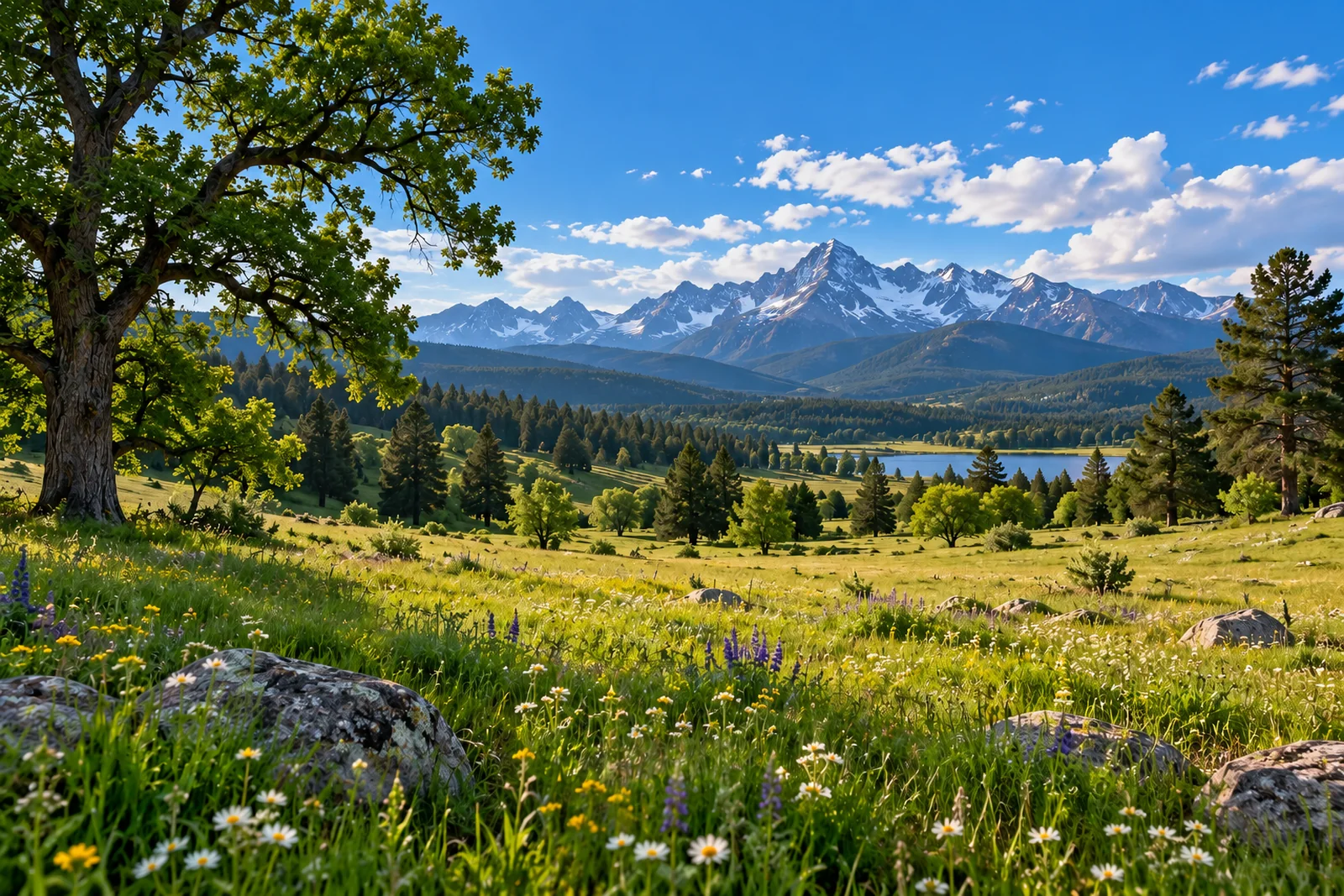
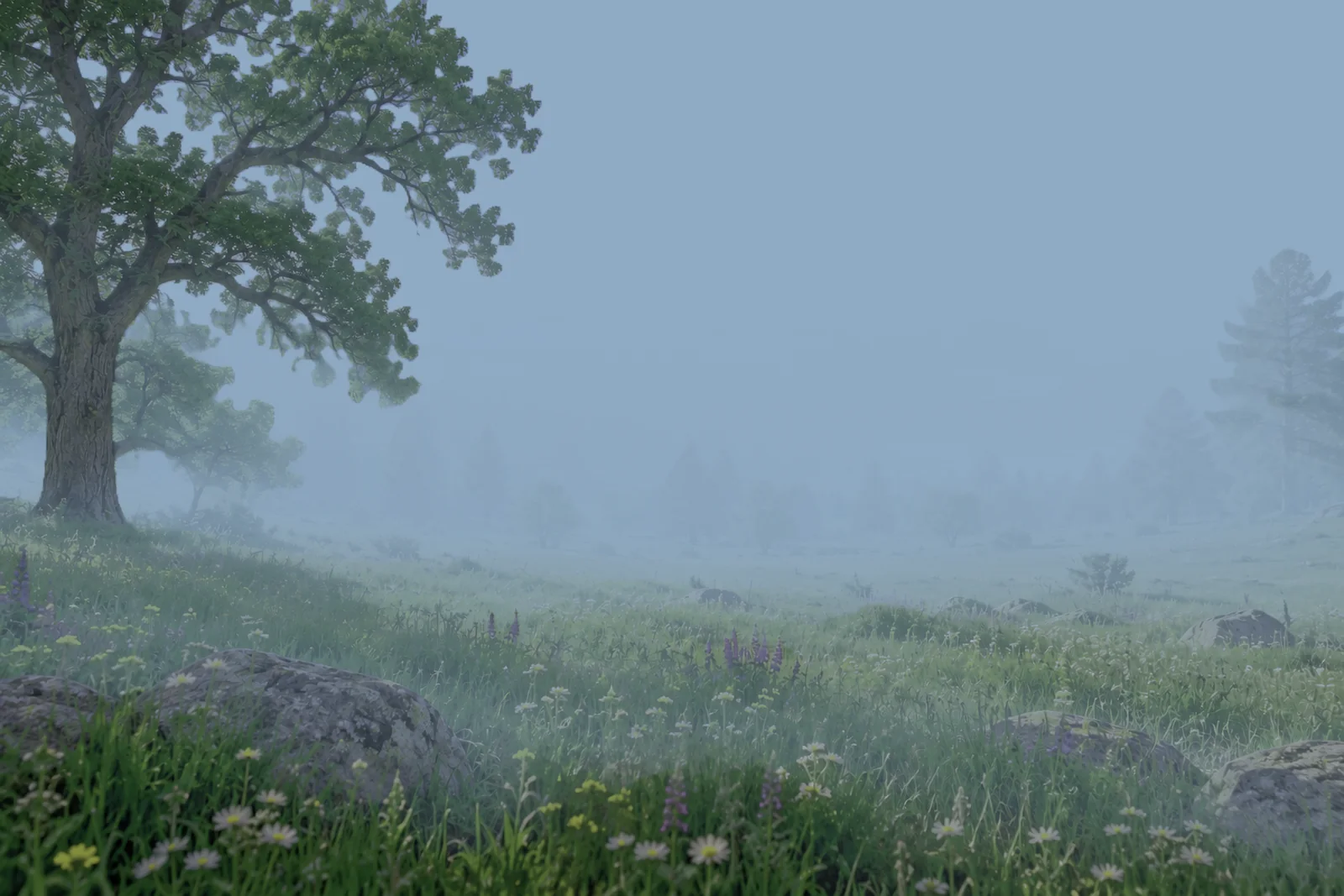
Estimate Depth turns a still or a whole video into depth maps. The 3D Mask effect then cuts any layer by distance, so fog can thicken toward the horizon, or a title can sit between the people and the beach.
 Plate
Plate
 3D Mask fog
Fog that knows what is far.
A fog layer with a 3D Mask, fed the generated depth, thickens from a start distance to an end distance. The oak in front stays clear while the mountains disappear.
- Video Depth Anything reads 32 frames at a time, so depth holds steady along footage
- Depth Pro traces fine edges like hair and leaves, the better pick for a still
- Two 3D Masks, one each way, keep a single slice of depth

A title placed in depth: the walkers pass in front of it, the beach stays behind it. The cut comes from a generated depth map, with no rotoscoping.
03 · Camera tracking
A matchmover, built in.
Track Camera solves where the camera was on every frame of a shot, and its field of view, so 3D layers sit inside the filmed scene. It needs no model and no setup, and takes seconds.
Features through the shot
Points are found and followed from frame to frame, up to the next cut.
Camera and lens
A camera solver with its own bundle adjuster recovers the move and the field of view. A move that cannot reveal the lens, like a straight push in, is detected and says so.
Layers in the scene
Anchor the scene at the footage’s depth, or drag four corners onto a flat surface, a screen, a sign, a wall, and 3D layers land on it.
04 · The toolkit
Nine generative tools. One timeline.
Every result lands on a layer of its own, timed to the footage it came from, ready for masks, effects and export. A one-click setup installs a private Python and PyTorch, the CUDA build when an NVIDIA GPU is present, and touches nothing else on the system.
Video
A clip from a still and a prompt, extended past a model’s few seconds by chaining.
HunyuanVideo 1.5 · Wan 2.2 · LTX-Video · CogVideoXImage
A still from a prompt, or a restyle of a layer’s still.
FLUX.1 schnell · SDXL · Stable Diffusion 3.5Audio
Music or sound design from a prompt.
Stable Audio3D models
A textured model from a single still, from 5,000 to 300,000 triangles, ready to turn over in the viewport, or new textures for a model you have.
TRELLIS.2 · Built with DINOv3Depth
Depth maps for a still or every frame of a video, consistent along the clip.
Video Depth Anything · Depth ProUpscale
2×, 3× or 4× a video layer, fitted back into the scene.
SeedVR2 · Real-ESRGANFrame interpolation
2×, 3× or 4× the frame rate, keeping the original frames as they are.
RIFECamera motion
Parallax, orbit, wave and drift over a still’s own pixels, depth-driven and deterministic.
Built in · optional depth modelCamera tracking
The camera move and lens of any footage, as a camera that drives your 3D layers.
Built in · no model neededRegion generation
Generate into part of a frame.
Draw a box on a still and only that crop is generated, which buys longer clips on the same card. Here the flames were generated into the fireplace of a photograph, then feathered back in with a mask, particle snow behind the window glass and candles on the mantel.

05 · Compose
Every layer, every parameter, on one timeline.
Video, image sequences, SVG, text, shapes, solids, audio, nested scenes, generated depth and glTF models all live on the same frame-accurate timeline.
- Any layer can go 3D, seen through a scene camera or a camera solved from the footage
- Keyframes on any parameter, with animators layered on top
- Spline masks you can animate, and a 3D Mask that cuts by depth
- 3D layers with anti-aliased edges and mipmapped, anisotropic texture filtering
- Normal, Add, Multiply and Screen blending on premultiplied alpha
06 · Effects
A stack when you want it. A graph when you need it.
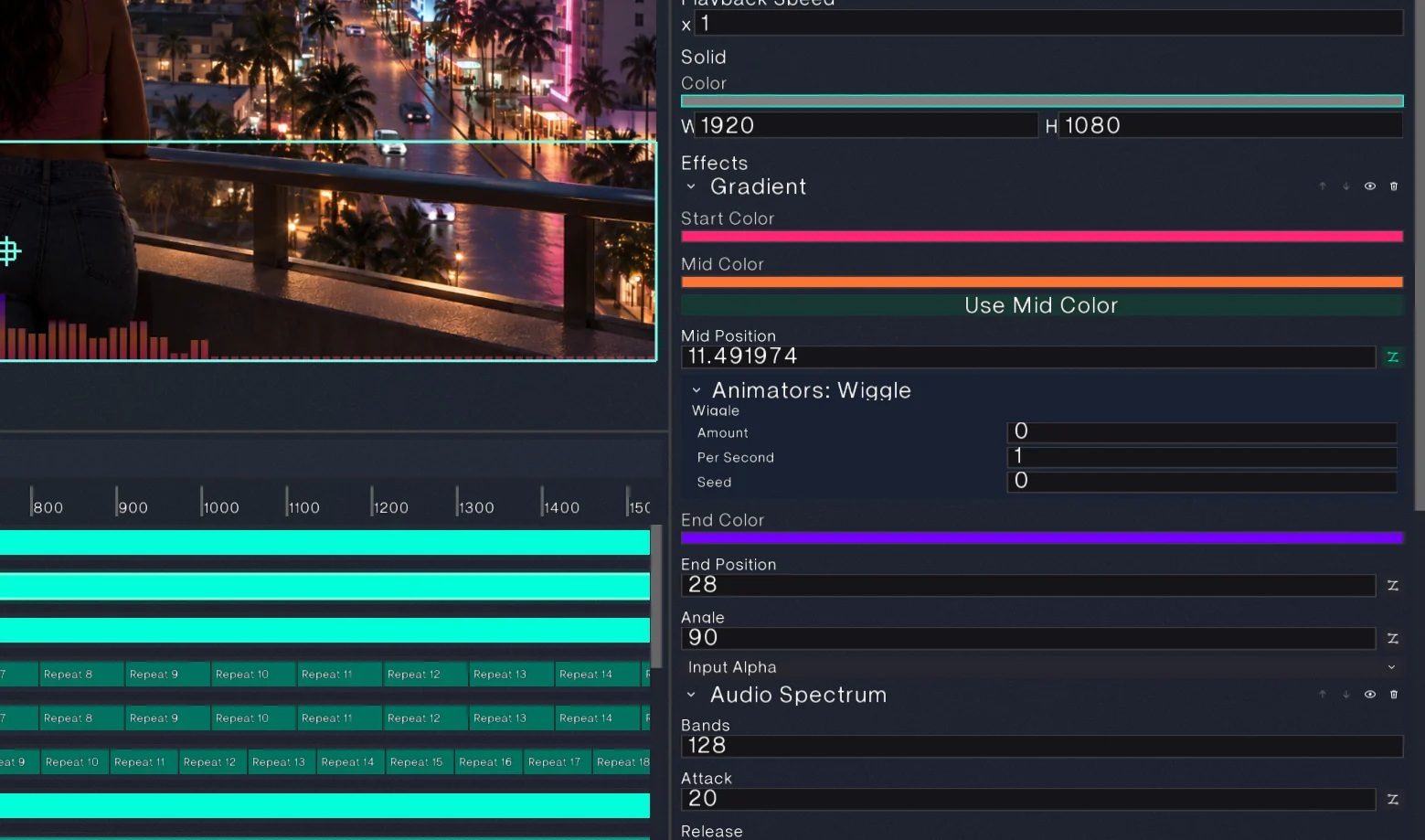
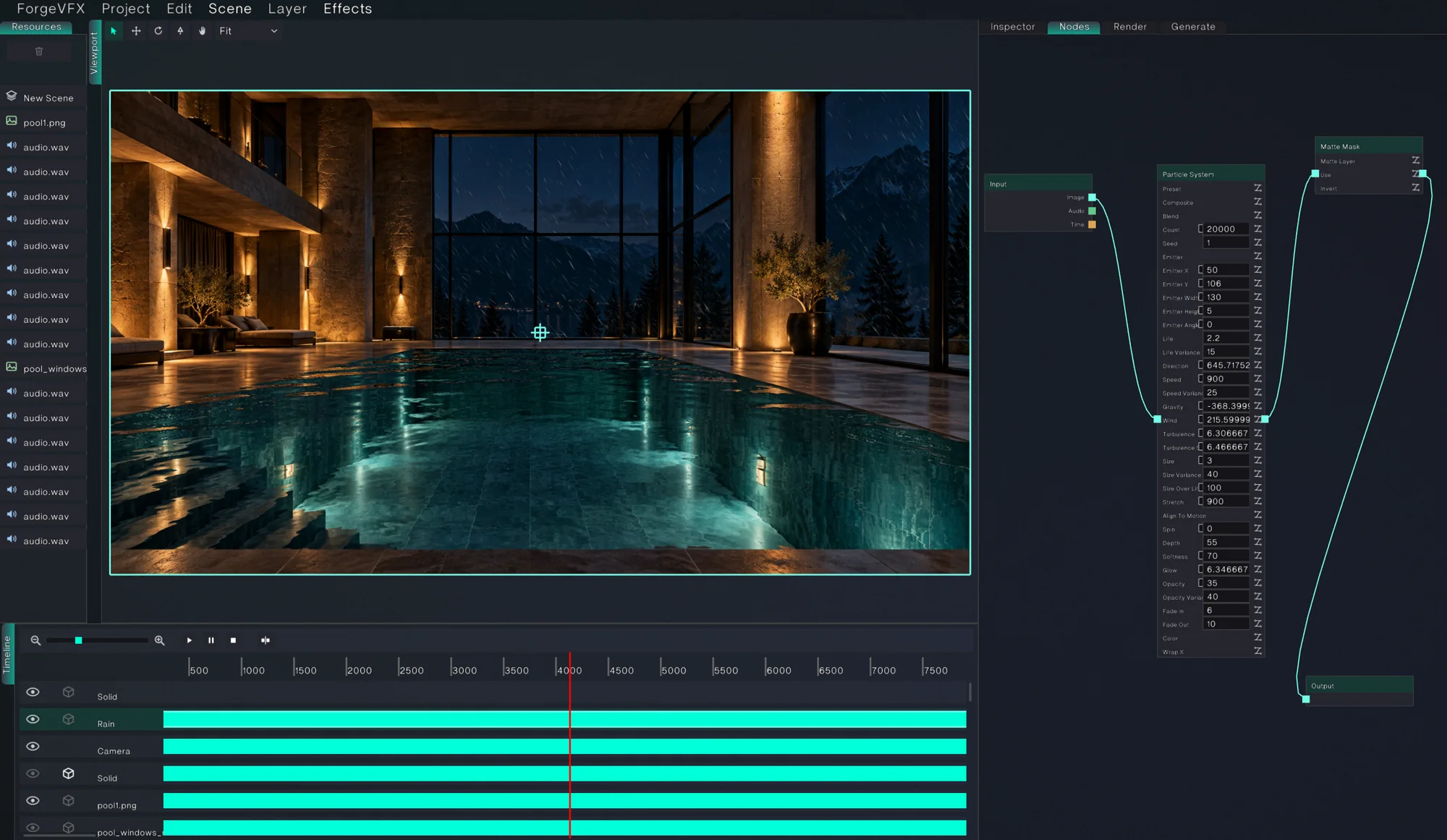
Every layer owns a node graph. A simple effect stack is just a straight chain through it, so you can start in the inspector and open the graph the moment a shot gets complicated.
07 · Deliver
Straight to production formats.
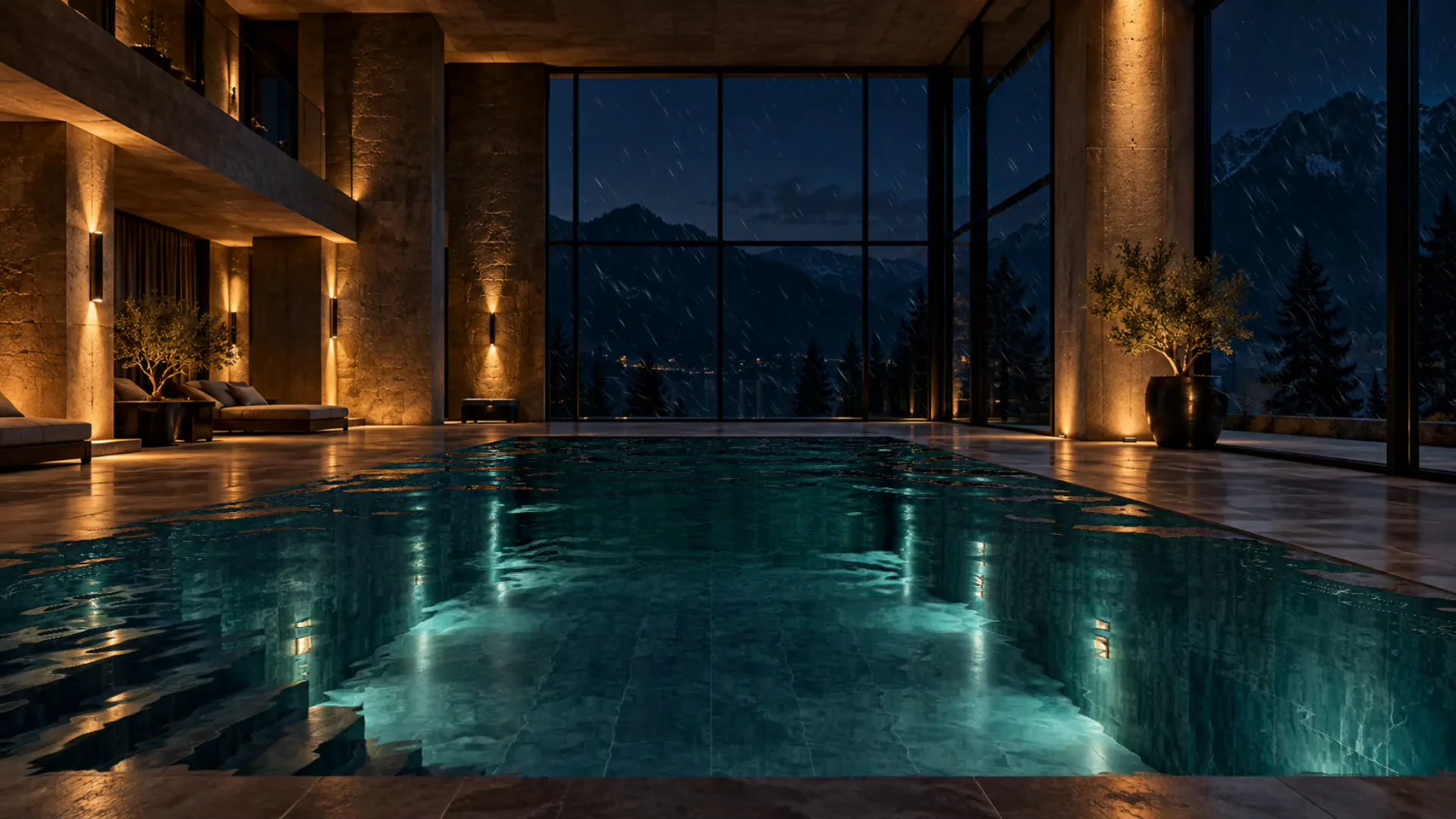
The graph above, rendered: twenty thousand rain particles, held behind the glass by a matte.
Hardware encoders are probed per codec through VideoToolbox on macOS and Media Foundation on Windows.
08 · Engine
Built on its own renderer.
No game engine, no UI toolkit. Forge draws its entire interface and every composite through a small render hardware interface with two interchangeable backends.
- Language
- C++17, Objective-C++ for macOS platform code
- Rendering
- Handle-based RHI. Vulkan by default (dynamic rendering, synchronization2, VMA), OpenGL as the reference backend
- Compositing
- Offscreen targets per scene, nested compositions, dirty-flag caching, 4× MSAA
- Compute
- Compute-shader effect path on Vulkan, fragment fallback on OpenGL
- Tracking
- OpenCV feature tracking, an incremental structure-from-motion solver and a first-party sparse bundle adjuster (Levenberg-Marquardt with a Schur complement)
- Generation
- Python sidecar over a line protocol, Hugging Face diffusers, live VRAM and spill monitoring
- Decoding
- Multi-cursor video readers that walk forward instead of seeking
- Platforms
- macOS, Windows, Linux
4K export, Apple M2, sustained
A profiling pass fixed an unoptimized build, stray validation layers, per-frame buffer reallocation, a presentation path that tied export to the display's refresh rate, and a scalar copy into the encoder that became 3.8× faster with NEON. Output stayed bit-identical throughout.
Free. Open source next.
Made to be shared.
Forge VFX will be free to use, and the source is being prepared for release under the GNU GPL v3, the license behind Blender, Krita and Kdenlive. Every fork stays open.
Questions
Is Forge VFX free?
Yes. It will be free to use, and the source code is planned for release under the GPL v3.
Does anything leave my machine?
No. Generation runs on local models. Nothing is uploaded, and there are no accounts or usage credits. A free Hugging Face sign-in is only needed to download models whose publishers gate them.
What hardware do I need?
The editor runs on any GPU with Vulkan or OpenGL support. Generation is the demanding part, and it is built to fit: the clip on this page was generated, upscaled and interpolated on a laptop GPU with 8 GB VRAM and 32 GB of system RAM. Bigger cards simply go faster.
When can I download it?
There is no public build yet. Join the Discord to follow development and hear first when builds are available.